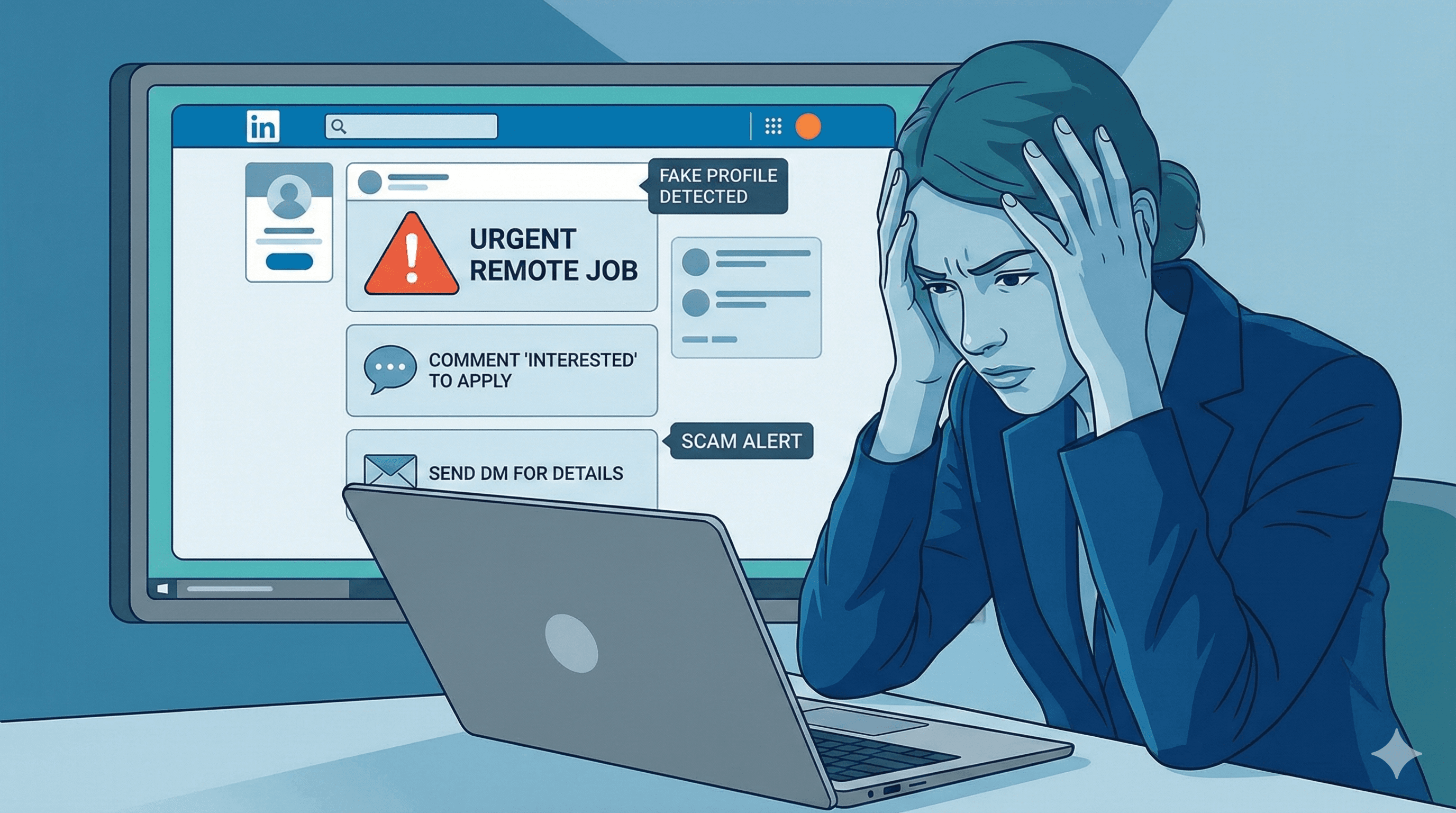
LinkedIn is supposed to be the go-to platform for finding real job opportunities, but lately it's flooded with spam posts, fake companies, and “too good to be true” offers that waste your time and energy. For job seekers — especially fresh graduates and remote workers — these fake posts are more than annoying; they can put your personal data and even your money at risk.
In this article, I'll share how to quickly spot fake job posts, avoid scams, and protect both your time and personal data. These tips come from real experience scrolling through hundreds of listings — so you can focus on the opportunities that actually matter.
1. If the Job Sounds Too Perfect — It Probably Isn't
Many spam posts attract attention with unrealistic benefits, such as:
- “Work 2 hours a day and earn $4,000/month.”
- “No experience needed for a senior role.”
- “We hire instantly without an interview.”
Legitimate companies set real expectations and describe genuine responsibilities. Anything that promises huge rewards for almost no effort is designed to trigger excitement so you act before you think. When something sounds too good to be true, it almost always is.
2. Check the Company Profile Before Applying
Fake posts often come from accounts that look like real companies but have obvious gaps. Before applying, open the company page and look for warning signs:
- No website or professional email domain
- No real employees listed on LinkedIn
- Zero activity, posts, or updates
- An account created very recently
- A generic logo or stock photos only
A quick search of the company name plus the word “scam” or “reviews” can also reveal a lot. If the company profile looks empty or brand-new, the job probably is too.
3. Watch for Suspicious Application Methods
One of the most common spam tactics is the way they ask you to “apply.” Legitimate companies do NOT ask for your resume in comments or DMs. Here are the fake-post tactics to recognize:
- “Comment Interested to Apply” – Posts like this are designed to boost engagement. There's often no real job, and the poster rarely contacts anyone.
- “Drop Your Resume in Comments” – Your personal data (phone, email, address) becomes public and vulnerable to anyone. Real companies never request CVs this way.
- “Send a Direct Message to Apply” – Scammers use this to gain followers and profile visibility; they care about reach, not hiring.
- No Official Link or Email – Fake posts avoid linking to a careers page or company website and give no details about location, salary, or responsibilities.
Always be cautious: if the post doesn't link to an official application page or a company email, treat it as a red flag.
4. Be Careful With Recruiters Who Message Immediately
Some scammers send messages like:
“You're shortlisted! Contact us on WhatsApp to continue the hiring process.”
No professional company will push you to WhatsApp, Telegram, or other messaging apps for the hiring process. Legit recruiters use company emails, LinkedIn messages, or professional scheduling tools. Being contacted before you even applied is another strong warning sign.
5. Look for Detailed Job Descriptions
Fake job posts are often short and generic:
- “We need remote workers.”
- “Apply now and start immediately.”
Real job posts include specific, verifiable details:
- Specific responsibilities and day-to-day tasks
- Required skills and experience level
- Location or time zone
- The hiring process steps
- Clear company information and team context
6. Avoid Jobs Asking for Money
If any “job” asks you to pay for training, registration, software, equipment, or ID verification, it's a scam. No legitimate employer charges applicants to get hired. Be especially wary of offers that ask you to buy something up front with a promise of reimbursement later — the reimbursement never comes.
7. Protect Your CV and Personal Data
Fake posts often exist purely to collect CVs and personal information for identity theft or resale. Before sending your CV:
- Check that the company is real and active
- Verify recruiter emails come from the company domain, not a free Gmail/Outlook address
- Make sure the job description is clear and legitimate
- Avoid sharing sensitive details like your national ID or bank info during early stages
8. Focus on Quality, Not Quantity
Applying to 50 verified jobs is far better than blasting your CV to 300 fake posts. Mass-applying to low-quality listings drains your energy and rarely leads anywhere. Protect your time, energy, and mental health by targeting real roles that match your skills.
Frequently Asked Questions
How can I quickly tell if a LinkedIn job is fake?
Check the company profile, look for a real application link or company email, and be suspicious of unrealistic pay, instant hiring, or requests to apply in the comments or via WhatsApp.
Is it safe to post my resume in LinkedIn comments?
No. It exposes your personal data publicly. Apply through official company pages or LinkedIn's built-in apply button instead.
What should I do if I already messaged a scammer?
Stop sharing information immediately, don't send any money, report the post and account to LinkedIn, and monitor your accounts for suspicious activity.
Final Advice
LinkedIn is full of real opportunities, but also plenty of spam. By learning these red flags, you can avoid wasting time and start focusing on the jobs that actually matter. Stay smart, stay safe, and protect your career — a little caution up front saves you a lot of trouble later.