Common React Patterns Used in Real Projects (With Examples)
When developers start learning React, they usually focus on components, hooks, and JSX syntax. But when you move from tutorials to real-world React projects, something changes. The problem is no longer “how to make it work,” but “how to keep it clean, scalable, and maintainable.”
After working on multiple production React applications — dashboards, landing pages, admin systems, and client projects — I noticed that I keep using the same patterns repeatedly. These are not theoretical patterns from books; they are practical React patterns that solve real problems.
In this article, I'll share the most common React patterns I personally use in real projects, explain why they matter, and show clear examples you can actually apply in your own applications.
Why React Patterns Matter in Real Projects
In small apps, you can get away with messy code. But as soon as your project grows, bad structure starts to slow you down. React patterns help you:
- Reduce complexity as the app grows
- Make code easier to read for other developers
- Avoid duplicated logic
- Refactor features without breaking the app
Patterns are not rules; you don't use them everywhere. You use them when the problem appears. Applying a pattern too early can add complexity you don't need yet.
1. Container and Presentational Components Pattern
This pattern separates business logic from UI rendering. In real projects, mixing both in one component quickly becomes painful — the component that fetches data, transforms it, and renders it becomes hard to test and reuse.
Why I use this pattern
- Cleaner components
- Reusable UI
- Easier debugging and testing
Real-world example
function UsersContainer() {
  const [users, setUsers] = React.useState([]);
  const [loading, setLoading] = React.useState(true);

  React.useEffect(() => {
    fetch('/api/users')
      .then(res => res.json())
      .then(data => {
        setUsers(data);
        setLoading(false);
      });
  }, []);

  if (loading) return <Spinner />;

  return <UsersList users={users} />;
}
function UsersList({ users }) {
return (
<ul>
{users.map(user => (
<li key={user.id}>{user.name}</li>
))}
</ul>
);
}The container owns the data and logic; the presentational
UsersList2. Custom Hooks Pattern
If I write the same useEffect logic twice, I immediately stop and extract it into a custom hook. This is one of the most powerful patterns in React and the single biggest driver of clean components in my projects.
Benefits of custom hooks
- Cleaner components
- Single source of truth
- Better reusability
Example: Fetching data
function useFetch(url) {
  const [data, setData] = React.useState(null);
  const [loading, setLoading] = React.useState(true);
  const [error, setError] = React.useState(null);

  React.useEffect(() => {
    fetch(url)
      .then(res => res.json())
      .then(result => {
        setData(result);
        setLoading(false);
      })
      .catch(err => {
        setError(err);
        setLoading(false);
      });
  }, [url]);

  return { data, loading, error };
}
const { data, loading, error } = useFetch('/api/posts');In production, I usually replace this with React Query for caching and refetching, but the pattern — hiding logic behind a clean hook interface — remains the same.
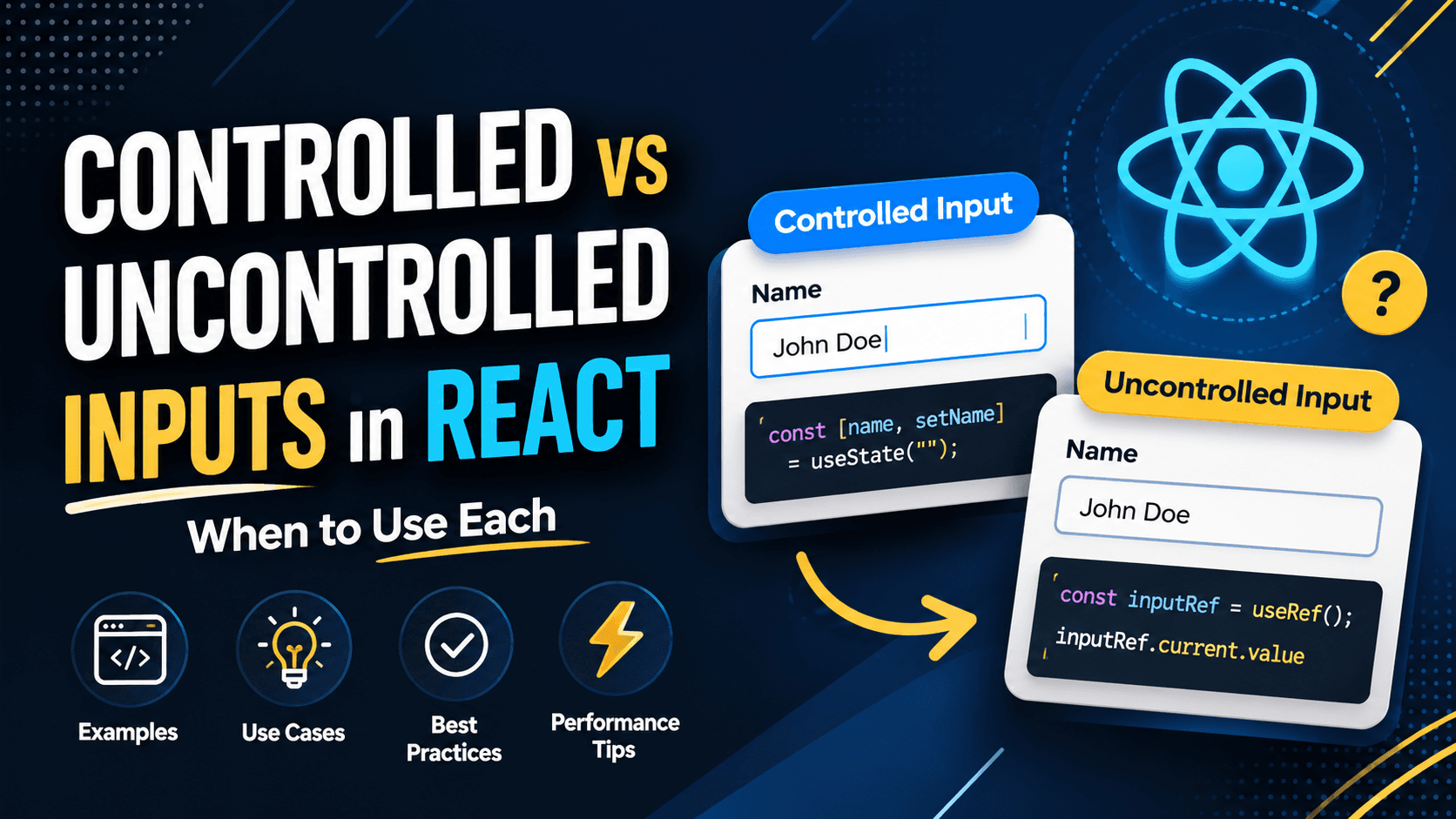
3. Controlled Components Pattern
Forms are everywhere in real applications: login forms, payment forms, and settings pages. Controlled components make them predictable and safe because React state is the single source of truth for every input.
Why controlled components matter
- Easy validation
- Clear state flow
- No hidden input state
Example
function LoginForm() {
  const [email, setEmail] = React.useState('');
  const [password, setPassword] = React.useState('');

  return (
    <form>
      <input
        value={email}
        onChange={(e) => setEmail(e.target.value)}
        placeholder='Email'
      />
      <input
        type='password'
        value={password}
        onChange={(e) => setPassword(e.target.value)}
        placeholder='Password'
      />
    </form>
  );
}
For large forms, I usually combine this pattern with react-hook-form to improve performance and reduce re-renders while keeping the same predictable data flow.
4. Conditional Rendering Pattern
Every real app has loading states, error states, and empty states. How you render them matters a lot for readability, and messy conditionals are a common source of bugs.
Recommended approach
if (loading) return <Spinner />;
if (error) return <ErrorMessage />;
if (!data) return <EmptyState />;

return <Content data={data} />;
Using early returns keeps JSX clean and avoids unreadable nested ternaries. Each state is handled explicitly, so no one wonders what happens when data is empty.
5. Compound Components Pattern
This pattern shines when building reusable UI components like modals, tabs, and accordions. It improves developer experience significantly by giving consumers a natural, flexible API.
<Modal>
  <Modal.Header title='Delete Item' />
  <Modal.Body>Are you sure?</Modal.Body>
  <Modal.Footer />
</Modal>
Internally, these components share state using React Context, so the parent coordinates behavior while each child stays focused on one job. It's the same approach popular libraries use for their composable components.
6. Lifting State Up
Sometimes the simplest solution is the best one. If two components need the same state, lift it up to their closest common parent instead of duplicating it.
function Parent() {
  const [count, setCount] = React.useState(0);

  return (
    <>
      <Counter count={count} />
      <Controls setCount={setCount} />
    </>
  );
}
I always try this before introducing context or a global state library. Not every shared value needs a store — often a shared parent is enough.
7. Feature-Based Folder Structure
As projects grow, folder structure becomes critical. I strongly prefer feature-based organization, where everything a feature needs lives together.
features/
  auth/
    components/
    hooks/
    services.js
This structure allows you to delete or refactor a feature without touching unrelated code, and it makes onboarding new developers much faster because related files sit side by side.
Common Mistakes I Avoid
- Overusing the Context API for state that could be local
- Premature optimization with useMemo and useCallback everywhere
- Abstracting too early before the pattern is clear
- Mixing business logic with UI in one giant component
Frequently Asked Questions
What are React patterns?
React patterns are reusable, proven ways to structure components and logic — like custom hooks or container/presentational components — that make apps cleaner and easier to scale.
Do I need to use every pattern?
No. Apply a pattern only when the problem it solves actually appears. Using patterns everywhere adds unnecessary complexity.
Which pattern is most useful for beginners?
Custom hooks and controlled components give the biggest immediate payoff, since they clean up the code you write most often.
Final Thoughts
React patterns are not about writing fancy code. They are about writing boring, predictable, and scalable code. In real-world projects, the best pattern is the one that makes your code easier to understand six months later — by you or anyone else on your team.